25+ Filters Available
✨

Add Filters to Photo Online Free

Transform your photos with stunning filter effects. Vintage, sepia, black & white, cartoon, and 25+ more options. No signup required.
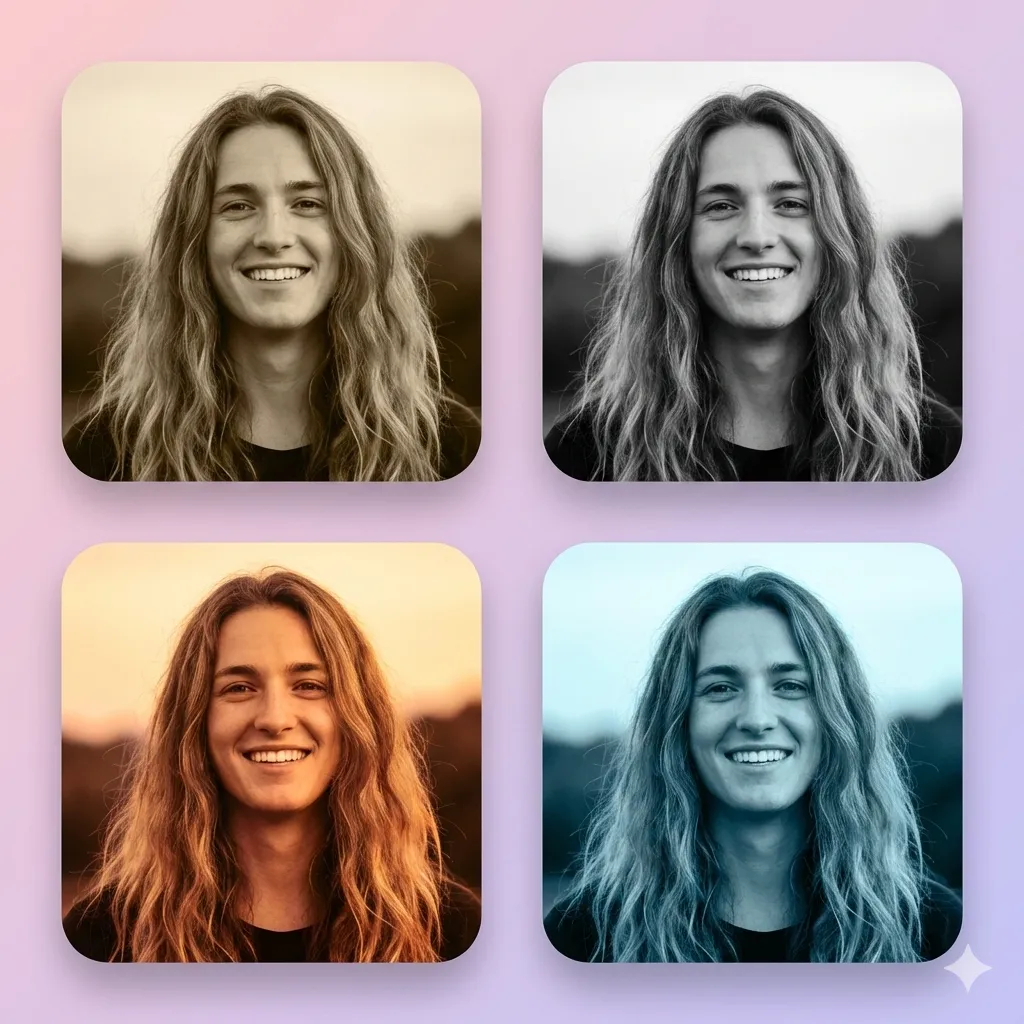
Photo with various filter effects applied

What is Add Filters to Photo?

Add Filters to Photo is a free online tool that lets you apply professional-quality filter effects to any image. Whether you want a vintage look, dramatic black & white, artistic cartoon effects, or vibrant color enhancements, this tool makes it easy.

Try It Now - Add Filters to Your Photo

🎨Open Full Editor

Available Filters

🎨 Color Adjustments
Grayscale, Sepia, Invert, Saturate, Warm, Cool tones, and more.
📷 Vintage & Retro
70s, 80s, Polaroid, Film grain, Faded looks for nostalgic vibes.
✏️ Artistic
Cartoon, Sketch, Posterize, Pop Art, Pixelate for creative effects.
✨ Effects
Blur, Sharpen, Emboss, Vignette, Glitch for unique looks.
🌈 Animated
Disco, Chameleon, Rainbow - live animated color effects.
🔥 Dramatic
High contrast, HDR, Noir, Cyberpunk for bold statements.

Why Use Our Filter Tool?

100% Free

No cost, no watermarks, no limits

No Signup Required

Start applying filters immediately

Privacy-First

All processing in your browser, images never uploaded

25+ Filters

Wide variety from subtle to dramatic effects

Instant Preview

See effects applied in real-time before saving

High Quality Export

Download in full resolution PNG format

Works on All Devices

Desktop, tablet, and mobile browsers supported

How to Add Filters to Your Photo

1

Upload Your Photo

Choose an image from your device or use your webcam to capture a new photo.

2

Browse Filters

Scroll through the available filters. Click on any filter to see an instant preview on your photo.

3

Select Your Favorite

Choose the filter that best enhances your photo's mood and style.

4

Download Your Image

Click download to save your filtered photo in high quality PNG format.

Frequently Asked Questions

Are photo filters free?

Yes, all 25+ filters are completely free to use with no limits or watermarks.

Can I apply multiple filters?

Currently, you can apply one filter at a time. Use the Full Editor for combining effects with text and stickers.

What are animated filters?

Animated filters like Disco and Chameleon create moving color effects - they're especially fun for webcam use!

Will my photo quality be reduced?

No, photos are processed and saved at their original resolution and quality.

Can I use this on mobile?

Yes, the tool works on all devices including phones and tablets with modern browsers.

Are my photos private?

Yes, all processing happens in your browser. Your images are never uploaded to any server.

🚀

Ready to Transform Your Photo?

Scroll up to the editor—it's free and takes just seconds!

Go to Editor